Meta AI से AI Video कैसे बनाएं? अगर आप बिना expensive software खरीदे AI की मदद से video बनाना चाहते हैं, तो Meta के AI ecosystem को जरूर try कर सकते हैं। खासकर Instagram users के लिए Meta AI का integration content creation को काफी आसान बना सकता है।
इस guide में हम step-by-step समझेंगे कि Meta AI से free में AI video कैसे बनाएं, Instagram से Meta AI को कैसे access करें, बेहतर prompt कैसे लिखें, photo को AI video में कैसे बदलें और तैयार video को Reels के लिए कैसे इस्तेमाल करें।
ध्यान रखें कि Meta AI के features, availability और usage limits समय के साथ बदल सकते हैं। Meta के official information के अनुसार Meta AI web, app और Instagram जैसे Meta platforms पर उपलब्ध है और कुछ advanced/compute-intensive features पर usage limits लागू हो सकती हैं।
Meta AI क्या है?
Meta AI Meta का AI assistant है जिसे users questions, ideas, image generation, editing और कई creative tasks के लिए इस्तेमाल कर सकते हैं। इसे web पर Meta AI के जरिए और Meta के कई apps के अंदर access किया जा सकता है।
Instagram में भी Meta AI के जरिए creative काम किए जा सकते हैं। Meta के official page के अनुसार Instagram पर Meta AI का इस्तेमाल images create/edit करने और creative content explore करने के लिए किया जा सकता है।
Official Meta AI: Meta AI
अगर आप AI tools को लेकर beginner हैं, तो पहले हमारी Best Free AI Tools की Hindi Guide भी पढ़ सकते हैं। इससे आपको अलग-अलग AI tools के use cases समझने में मदद मिलेगी।
क्या Meta AI से Free में AI Video बनाया जा सकता है?
हाँ, Meta का AI ecosystem video creation और editing की दिशा में लगातार expand हो रहा है। लेकिन यहां एक important बात समझना जरूरी है: हर user को हर video feature, हर location और हर account पर एक जैसा interface या unlimited generation नहीं मिल सकता।
Meta के current official information के अनुसार free Meta AI everyday use के लिए available है, लेकिन कुछ ज्यादा compute-intensive features पर daily या monthly usage limits हो सकती हैं। इसलिए अगर आपके account में कोई video feature दिखाई नहीं दे रहा है, तो इसका मतलब यह जरूरी नहीं कि आपने कुछ गलत किया है। Feature rollout और availability अलग-अलग हो सकती है।
Meta ने 2026 में Muse Image और Muse Video जैसे generative media models पर भी काम और rollout information जारी की है। Meta के अनुसार Muse Video high visual fidelity और native audio capabilities के साथ develop किया गया है और creators के लिए इसकी availability आगे expand की जा रही है।
Meta AI से AI Video बनाने के लिए क्या चाहिए?
शुरू करने के लिए आपको बहुत ज्यादा technical knowledge की जरूरत नहीं है। Generally आपको इन चीजों की जरूरत होगी:
- एक smartphone
- Instagram या Meta AI access
- एक Meta account
- Internet connection
- एक अच्छा AI video prompt
- अगर image-to-video करना है तो एक suitable photo
अगर आपके Instagram में Meta AI option उपलब्ध है, तो आप वहीं से AI features explore कर सकते हैं। Meta के अनुसार Instagram में Meta AI icon के जरिए AI interaction शुरू किया जा सकता है।
Instagram: Instagram official website
Instagram से Meta AI कैसे Open करें?
Step 1: Instagram Open करें
अपने smartphone में Instagram app open करें और अपने account में login करें। इसके बाद search या messaging area में Meta AI का option दिखाई दे सकता है, depending on your account and current app version.
Step 2: Meta AI को Open करें
अगर Meta AI icon available है, तो उस पर tap करें। अब आपको AI के साथ chat या creative interaction शुरू करने का option मिल सकता है।
Step 3: Video Creation Feature Check करें
Meta AI में उपलब्ध creative/media options को check करें। अगर आपके account में video generation या image-to-video feature available है, तो वहीं से आगे बढ़ सकते हैं।
Important: Instagram का interface update होने पर buttons की location या names बदल सकते हैं। इसलिए किसी पुराने screenshot को देखकर exact same UI मिलने की guarantee नहीं है।
Meta AI से AI Video बनाने का Step-by-Step तरीका
अब आते हैं actual process पर। AI video का output केवल tool पर depend नहीं करता। आपका prompt भी बहुत important role play करता है। जितना clear आप subject, movement, environment और camera instructions देंगे, उतना predictable result मिलने की संभावना बढ़ती है।
Step 1: पहले Scene Decide करें
सबसे पहले decide करें कि आपको video में क्या दिखाना है। उदाहरण के लिए:
- सूर्योदय के समय नदी का cinematic scene
- बारिश में चलता हुआ व्यक्ति
- Indian village का morning scene
- futuristic city
- mountain road पर चलती car
- product showcase
Step 2: Subject और Action लिखें
सिर्फ “एक सुंदर नदी का video बनाओ” लिखने के बजाय subject और movement बताएं। उदाहरण:
“A peaceful river at sunrise, slow flowing water, soft morning mist and birds flying across the sky.”
इससे AI को scene की direction ज्यादा clearly मिलती है।
Step 3: Camera Movement Add करें
अगर cinematic result चाहिए तो camera direction भी mention करें:
- slow camera push-in
- smooth tracking shot
- slow cinematic pan
- aerial drone movement
- close-up shot
- wide establishing shot
Step 4: Lighting और Mood बताएं
Lighting video के visual mood को काफी बदल सकती है। इसलिए prompt में golden hour, soft natural light, dramatic lighting, cinematic shadows या blue-hour lighting जैसे terms इस्तेमाल कर सकते हैं।
Best Meta AI Video Prompt Formula
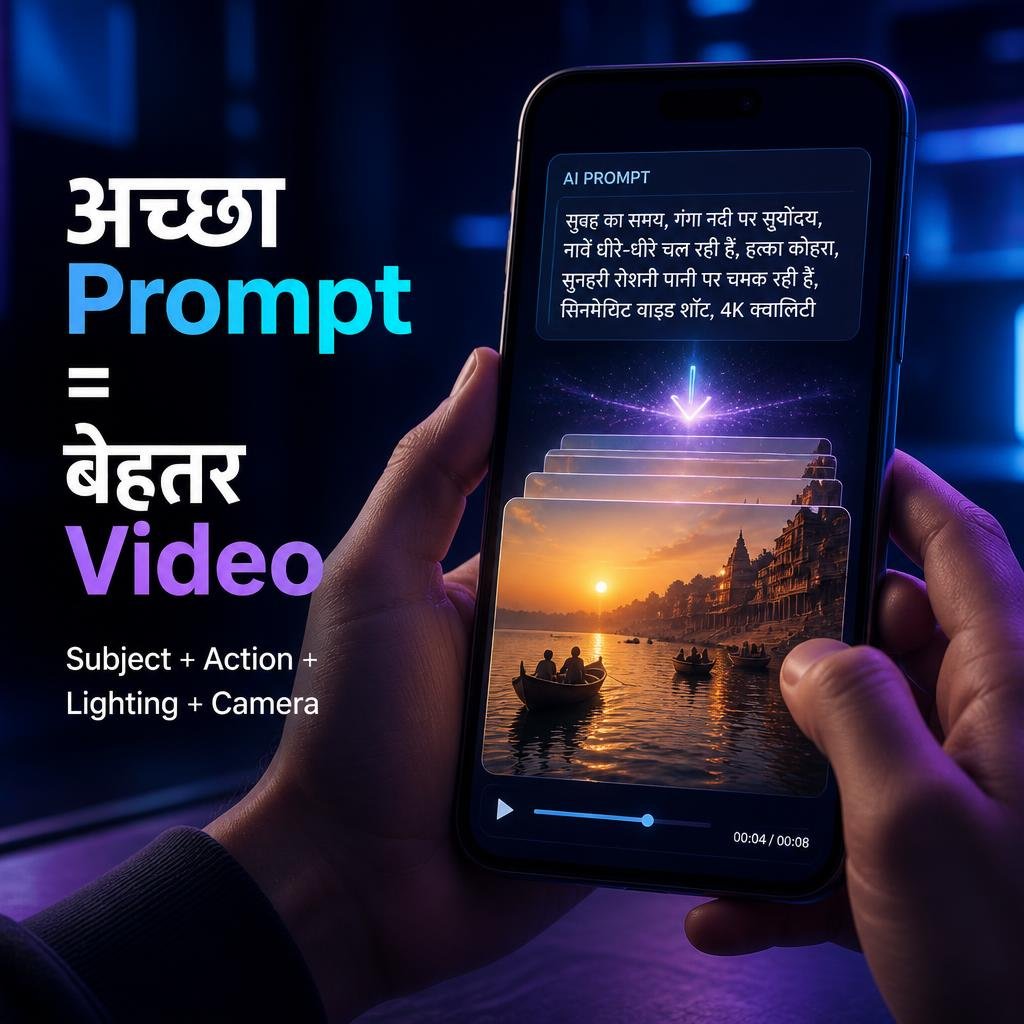
अगर आप बार-बार random prompts लिखते हैं, तो output inconsistent हो सकता है। इसके बजाय एक simple formula इस्तेमाल करें:
Subject + Action + Environment + Lighting + Camera + Style
उदाहरण:
Prompt:
A young Indian creator standing beside the Ganga river at sunrise, looking at the flowing water, gentle morning breeze, soft golden sunlight, cinematic slow camera push-in, realistic skin texture, natural colors, photorealistic cinematic video.
इस तरह prompt में सिर्फ subject नहीं बल्कि movement, environment, lighting और camera भी defined हैं।
अगर आप prompt engineering को detail में समझना चाहते हैं, तो हमारी Prompt Engineering क्या है – Hindi Guide पढ़ सकते हैं।
Meta AI के लिए 5 Ready-to-Use Video Prompts
1. Cinematic Nature Video
Prompt: A cinematic sunrise over a peaceful Indian river, golden sunlight reflecting on the water, soft morning mist, birds flying slowly in the distance, gentle breeze moving nearby trees, smooth slow camera movement, photorealistic, cinematic lighting, natural colors, highly detailed.
2. Indian Street Scene
Prompt: A realistic Indian street during early morning, small shops opening, people walking naturally, soft golden sunlight, subtle atmospheric haze, realistic traffic movement, cinematic tracking shot, authentic Indian environment, documentary photography style, photorealistic.
3. Futuristic City
Prompt: A futuristic Indian city at night with modern skyscrapers, glowing cyan and violet lights, people walking through a busy street, subtle reflections on wet roads, cinematic camera movement, realistic architecture, photorealistic science-fiction atmosphere, detailed lighting.
4. Product Video
Prompt: A premium smartphone placed on a dark reflective table, soft studio lighting, subtle blue and purple glow, slow cinematic camera rotation around the product, realistic reflections, luxury technology advertisement style, sharp details, photorealistic.
5. Travel Reel
Prompt: A cinematic travel scene showing a beautiful mountain road in India, a car slowly driving through the winding road, dramatic clouds, warm sunlight breaking through the mountains, smooth aerial camera movement, realistic landscape, cinematic travel film style.
Photo को AI Video में कैसे बदलें?
अगर आपके account में image-to-video feature available है, तो आप पहले एक image तैयार करके उसे animated video में convert करने की कोशिश कर सकते हैं। यह Instagram Reels के लिए खास तौर पर useful workflow हो सकता है।
Basic Process
- एक high-quality image select करें।
- Meta AI के available image/video feature को open करें।
- Image upload करें, अगर upload option available हो।
- बताएं कि image में क्या movement चाहिए।
- Camera movement और mood specify करें।
- Generate/continue option पर tap करें।
- Result को review करें और जरूरत हो तो prompt improve करें।
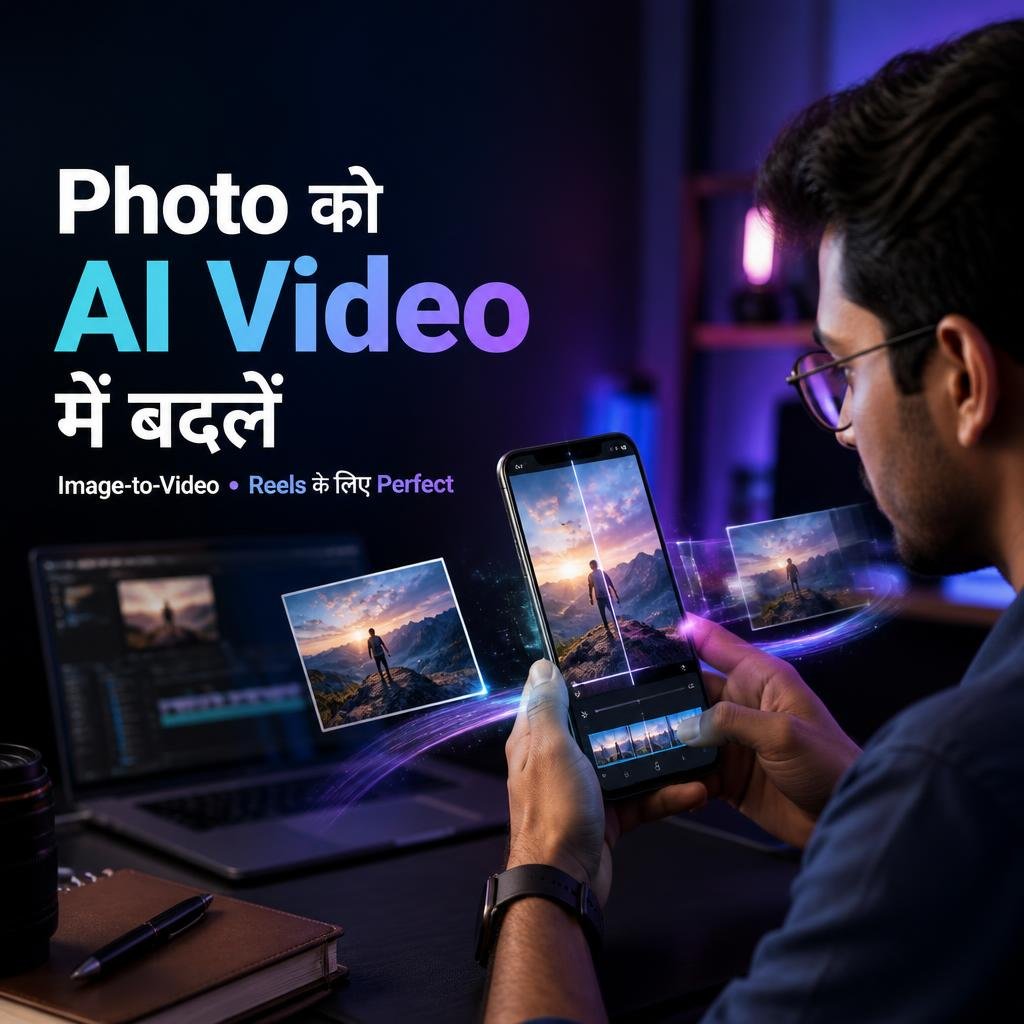
Image-to-video prompt में केवल “make it a video” लिखने के बजाय movement describe करें। उदाहरण:
Prompt: Animate this image naturally. Add subtle hair movement, gentle camera push-in, realistic facial motion, soft environmental movement and cinematic depth. Keep the person’s identity and original composition consistent.
AI Video को Instagram Reel के लिए कैसे तैयार करें?
AI video generate हो जाने के बाद आपका काम खत्म नहीं होता। अगर आपका goal Instagram Reel बनाना है, तो final video को platform-friendly format में prepare करना बेहतर रहेगा।
- Vertical format को priority दें।
- पहले कुछ seconds में strong visual रखें।
- Unnecessary long intro avoid करें।
- Readable captions इस्तेमाल करें।
- Background music और voice-over को scene के हिसाब से रखें।
- एक clear topic या story रखें।
Meta खुद creators के लिए AI-assisted content workflows पर काम कर रहा है। Meta के official resources के अनुसार AI का इस्तेमाल video ideas, hooks, scripts और other creative tasks में भी किया जा सकता है।
AI Video बनाने के बाद Editing क्यों जरूरी है?
AI-generated video को सीधे upload करने के बजाय थोड़ा edit करने से content ज्यादा polished लग सकता है। खासकर अगर video में AI-generated movement, awkward transitions या unwanted details दिखाई दें।
आप basic editing में:
- unwanted portion trim कर सकते हैं
- text/captions add कर सकते हैं
- voice-over लगा सकते हैं
- background music add कर सकते हैं
- multiple AI clips combine कर सकते हैं
- brightness और audio levels adjust कर सकते हैं
अगर आप AI video creation के broader workflow को सीखना चाहते हैं, तो हमारी AI से Video कैसे बनाएं guide भी useful रहेगी।
Meta AI Video के लिए Better Results पाने के 10 Tips
1. Prompt को बहुत vague न रखें
“Beautiful video बनाओ” की जगह subject, action और environment बताएं।
2. एक prompt में बहुत ज्यादा चीजें न भरें
बहुत complex scene देने पर AI कई elements को गलत interpret कर सकता है। शुरुआत में simple scene से test करें।
3. Camera movement जरूर try करें
Slow push-in, pan, tracking और aerial movement जैसे instructions cinematic feel दे सकते हैं।
4. Lighting specify करें
Golden hour, soft daylight, dramatic shadows या neon lighting जैसे terms output को direction देते हैं।
5. Realistic output चाहिए तो photorealistic लिखें
अगर आपका goal realistic video है तो prompt में photorealistic, natural movement और realistic lighting जैसे terms use करें।
6. Image-to-video में motion subtle रखें
एक still image को बहुत ज्यादा animate करने पर unnatural movement आ सकता है। पहले subtle motion try करें।
7. Character consistency पर ध्यान दें
अगर किसी व्यक्ति की photo animate कर रहे हैं, तो prompt में identity और facial appearance preserve करने की instruction दे सकते हैं।
8. Multiple versions test करें
पहला result perfect न हो तो prompt में छोटे changes करके फिर try करें।
9. Video को final upload से पहले review करें
AI-generated content में hands, faces, objects और background movement जैसी चीजों को जरूर check करें।
10. Copyright और misleading content से बचें
किसी दूसरे creator की copyrighted footage को सिर्फ AI effects लगाकर अपना original content मानना safe approach नहीं है। अपनी images, licensed assets या legally usable material को priority दें।
Meta AI Video Free है या Paid?
यह सवाल थोड़ा tricky है क्योंकि “Meta AI free है” और “हर AI feature unlimited free है” — दोनों एक ही बात नहीं हैं।
Meta के official FAQ के अनुसार Meta AI everyday use के लिए free है, लेकिन कुछ compute-intensive features पर usage limits test की जा सकती हैं। Limit hit होने पर availability और options account/feature के हिसाब से बदल सकते हैं।
इसलिए अगर आज कोई video feature free में available है, तो future में उसकी limit, access या interface बदल सकता है। इसी कारण किसी fixed number जैसे “हर user को रोज इतने videos free मिलेंगे” को universal rule मानना सही नहीं है।
Meta AI में Video Feature नहीं दिख रहा तो क्या करें?
अगर आपको video generation या image-to-video option दिखाई नहीं दे रहा है, तो इन चीजों को check करें:
- Instagram/Meta AI app को latest available version पर update करें।
- Account से logout करके दोबारा login करें।
- Meta AI को दूसरे supported Meta platform पर check करें।
- Feature आपके account/region में available है या नहीं देखें।
- कुछ समय बाद फिर check करें क्योंकि features rollout हो सकते हैं।
सबसे important बात: अगर feature दिखाई नहीं दे रहा है तो किसी third-party “unlock APK” या suspicious website से app install करने की कोशिश न करें। Official Meta channels को ही priority दें।
AI Video बनाते समय Common Problems
Problem 1: Video realistic नहीं लग रहा
Solution: Prompt में photorealistic, natural movement, realistic lighting और cinematic camera movement जैसे terms add करें।
Problem 2: Character का face बदल रहा है
Solution: Image-to-video workflow में identity preservation और subtle movement जैसी instructions दें। फिर भी AI generation में perfect consistency guaranteed नहीं होती।
Problem 3: Video में unwanted movement आ रहा है
Solution: Prompt को simplify करें और केवल जरूरी movement specify करें।
Problem 4: Result prompt जैसा नहीं है
Solution: Prompt को छोटे parts में divide करें — Subject, Action, Environment, Lighting और Camera.
Problem 5: Generation option available नहीं है
Solution: Feature availability account, platform, region और rollout पर depend कर सकती है। App update करें और official Meta AI resources check करें।
Meta AI से कौन-कौन लोग AI Video बना सकते हैं?
AI video creation सिर्फ professional creators के लिए useful नहीं है। Beginners भी इसका इस्तेमाल अलग-अलग purposes के लिए कर सकते हैं।
Students
Students presentation concepts, educational visuals और project ideas के लिए AI-generated clips बना सकते हैं।
YouTube Shorts Creators
Short-form content के लिए AI-generated establishing shots और visual scenes useful हो सकते हैं।
Instagram Creators
Reels के लिए visual experiments, backgrounds और creative concepts बनाए जा सकते हैं।
Small Businesses
Product concepts, promotional visuals और social media content ideas के लिए AI tools workflow को faster बना सकते हैं।
Bloggers
Blog articles के supporting social media videos और visual explainers बनाने में AI useful हो सकता है।
AI Video और Copyright: क्या ध्यान रखें?
AI-generated content का मतलब automatically copyright-free content नहीं होता। अगर आप किसी दूसरे व्यक्ति की copyrighted image, video, music या character को इस्तेमाल कर रहे हैं, तो सिर्फ AI transformation करने से ownership या permission का issue automatically खत्म नहीं होता।
इसलिए commercial content बनाते समय:
- अपने assets को priority दें।
- Licensed music इस्तेमाल करें।
- Third-party images की permission/license check करें।
- Celebrity या real person’s identity का misleading use न करें।
- AI-generated realistic content को misleading तरीके से present न करें।
Meta AI से AI Video बनाना Worth It है?
अगर आपका goal quick experimentation, social media content और AI video creation सीखना है, तो Meta AI को test करना definitely worthwhile हो सकता है। खासकर इसलिए क्योंकि Meta AI धीरे-धीरे image और video generation को अपने broader ecosystem में integrate कर रहा है।
लेकिन इसे अभी एक complete professional video-editing suite का replacement मानना सही नहीं होगा। Complex editing, timeline control, advanced audio mixing, precise transitions और professional post-production के लिए dedicated video editors की जरूरत पड़ सकती है।
Frequently Asked Questions (FAQs)
1. क्या Meta AI से free में AI video बनाया जा सकता है?
Meta AI everyday use के लिए free है, लेकिन video और अन्य compute-intensive features पर usage limits या availability restrictions हो सकती हैं। इसलिए unlimited free generation assume नहीं करना चाहिए।
2. क्या Instagram से Meta AI इस्तेमाल कर सकते हैं?
हाँ। Meta के official information के अनुसार Meta AI Instagram सहित कई Meta platforms में integrated है। हालांकि exact features account और current rollout के अनुसार अलग हो सकते हैं।
3. क्या Meta AI photo को video में बदल सकता है?
जहां आपके account में image-to-video या related media generation feature available है, वहां photo-based animation workflow इस्तेमाल किया जा सकता है। Feature availability universal नहीं माननी चाहिए।
4. Meta AI video prompt कैसा होना चाहिए?
एक अच्छा prompt आमतौर पर Subject + Action + Environment + Lighting + Camera + Style जैसी information रखता है। इससे AI को scene की direction ज्यादा clearly मिलती है।
5. Meta AI में video option नहीं दिख रहा है, क्या करें?
App update करें, official Meta AI access points check करें और यह ध्यान रखें कि features phased rollout या account/region availability के आधार पर अलग हो सकते हैं।
6. क्या AI-generated video Instagram Reel में upload कर सकते हैं?
Generally AI-generated content को social media पर use किया जा सकता है, लेकिन आपको platform rules, copyright, music licensing और misleading/deceptive content policies का ध्यान रखना चाहिए।
7. क्या Meta AI unlimited free है?
नहीं। Meta के current official FAQ के अनुसार कुछ compute-intensive features पर usage limits लागू या test की जा सकती हैं।
8. क्या Meta AI video professional quality का हो सकता है?
AI video की quality prompt, available model, feature और generation result पर depend करती है। Professional project में AI output को editing और quality control के साथ use करना बेहतर approach है।
Final Verdict
Meta AI से AI video बनाना 2026 में beginners के लिए एक interesting और accessible workflow है. अगर आपके account में required media-generation features available हैं, तो आप text prompts और कुछ workflows में images का इस्तेमाल करके creative video concepts तैयार कर सकते हैं।
सबसे बड़ा फर्क tool से ज्यादा आपके prompt और editing workflow से पड़ता है। Subject, action, lighting और camera movement को clearly define करें और पहले simple scenes से शुरुआत करें।
अगर आप AI tools को seriously सीखकर content creation, freelancing या online earning में use करना चाहते हैं, तो GrowthPulse AI पर हमारी दूसरी AI guides भी जरूर देखें।
Next Read: AI से Video कैसे बनाएं – Complete Guide
Prompt सीखें: Prompt Engineering क्या है? Hindi Guide
More AI Tools: Best Free AI Tools in Hindi
Official Source: Meta AI
आपके लिए एक Simple AI Video Workflow
Idea → Prompt → Generate → Review → Edit → Caption → Instagram Reel
बस इसी workflow को follow करके आप धीरे-धीरे better AI videos बनाना सीख सकते हैं। शुरुआत में perfect result के पीछे भागने के बजाय अलग-अलग prompts test करें और देखें कि कौन-से instructions आपके desired output के लिए सबसे अच्छे काम करते हैं।

प्रातिक्रिया दे