Socho — ek 5-minute professional video jo pehle ek poori team ko 2 din mein banani padti thi, woh aaj ek akela insaan sirf ek prompt type karke 5 minute mein bana sakta hai. Camera nahi chahiye. Editing skills nahi chahiye. Studio nahi chahiye. 2026 mein AI se video kaise banaye — yeh India ka sabse fast-growing skill ban raha hai, aur aaj ki is complete guide mein hum tumhe bilkul shuruat se sikhayenge — tools, steps, prompts, aur paise kamane ke tarike sab kuch.
⚡ Quick Answer — AI Se Video Kaise Banaye?
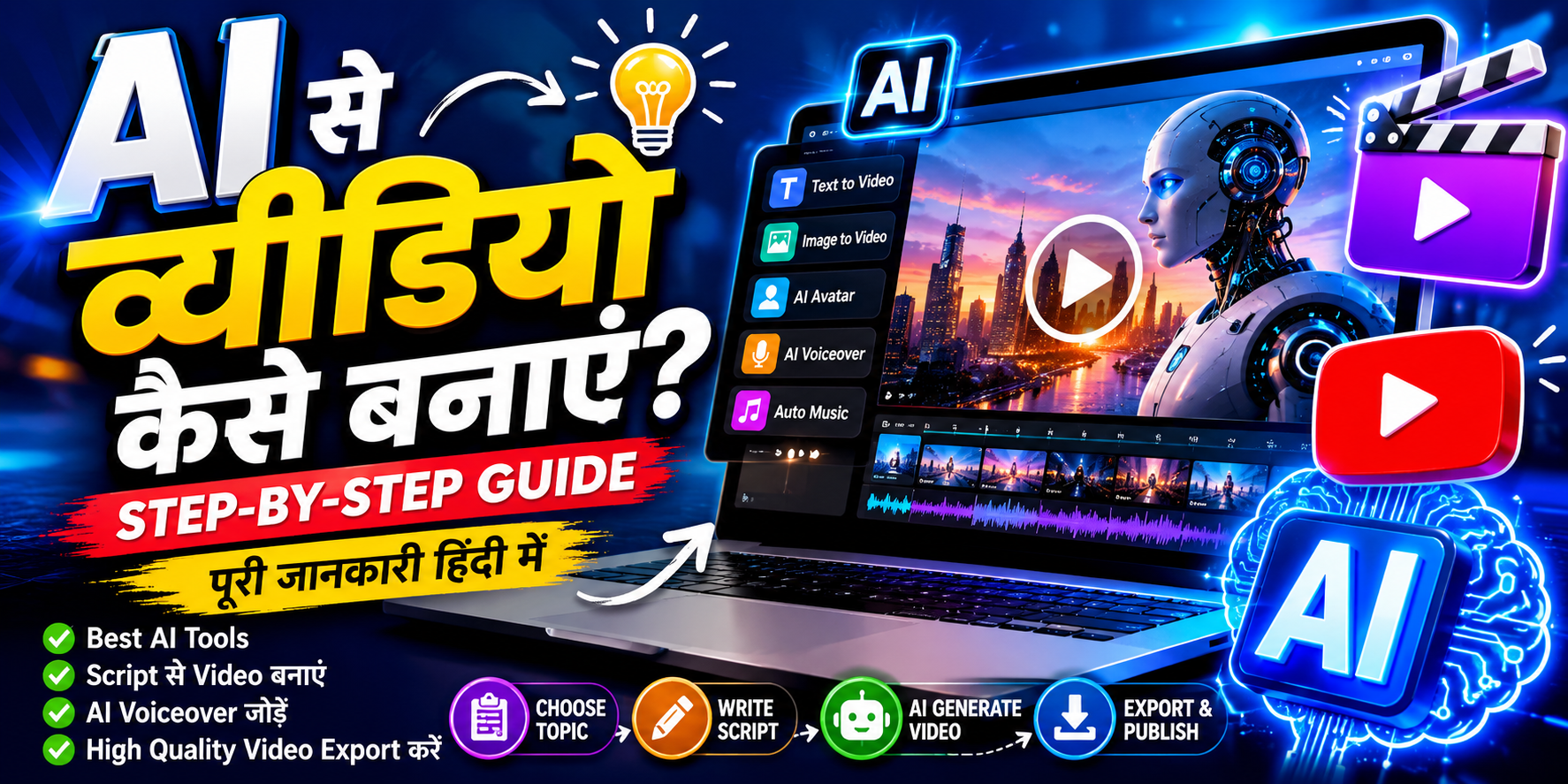
AI se video banane ke 5 main steps hain: (1) Topic aur Script ready karo — ChatGPT ki help se, (2) Sahi AI video tool choose karo — InVideo AI (beginners), Runway ML (advanced), ya Google Veo (realistic), (3) Detailed prompt likho — Subject + Environment + Camera Angle + Lighting + Style, (4) Video generate karo aur voiceover add karo — ElevenLabs ya Murf.ai se, (5) CapCut ya InShot se final edit karo aur publish karo. Total time: 30–60 minutes. Investment: ₹0 (free plans available).
📋 Is Guide Mein Kya Hai
- AI Video Generation Kya Hai? (4 Types)
- 2026 Mein AI Video Kyun Seekhna Chahiye?
- Best AI Video Tools 2026 — Comparison Table
- Step-by-Step Process — 10 Steps Mein Complete Video
- Perfect Prompt Kaise Likhen — Formula + Examples
- 5 Common Mistakes Jo Beginners Karte Hain
- AI Video Se Paise Kaise Kamaye?
- FAQ — Aksar Puche Jaane Wale Sawaal
AI Video Generation Kya Hai? — 4 Types Samjho
AI Video Generation ek aisi technology hai jisme artificial intelligence tumhare text, image, ya audio input ko ek fully animated, cinematic video mein convert kar deti hai — khud-ba-khud, bina kisi manual editing ke.
2026 mein 4 main types hain:
🎬 1. Text to Video
Ek prompt ya description type karo — AI poori video bana deta hai. Example: “Mumbai ki bheed bhari sadak, baarish ho rahi hai, drone shot, cinematic” → instant video clip.
🖼️ 2. Image to Video
Apni koi bhi photo ya artwork dalo — AI use animate kar deta hai. Still photo mein aankhein jhapakne lagti hain, baal hilne lagte hain, background mein movement aa jaati hai.
🤖 3. AI Avatar Video
Ek digital human avatar tumhari script bolna shuru kar deta hai — bilkul real insaan ki tarah. Camera ke saamne aane ki zaroorat nahi. Synthesia aur HeyGen mein yeh feature hai.
📝 4. Script to Complete Video
Script dalo — AI khud visuals choose karta hai, voiceover add karta hai, subtitles lagata hai, background music deta hai — ek puri broadcast-ready video ready. InVideo AI yeh karta hai.
2026 Mein AI Video Kyun Seekhna Chahiye?
Sirf “AI cool hai” isliye nahi — practical reasons hain:
- ⏱️ Time 90% kam: Jo kaam ek editing team ko 2 din mein karna padta tha, woh AI 30 minute mein karta hai.
- 💰 Cost zero ya near-zero: Professional camera (₹50,000+), studio (₹5,000/day), editor (₹500/hour) — sab ki zaroorat khatam.
- 📱 Phone se bhi ho sakta hai: InVideo AI aur CapCut mobile pe perfectly kaam karte hain.
- 🌐 Multi-language support: Ek hi video ko Hindi, English, Tamil, Telugu mein dub karo — AI khud karta hai.
- 💼 High-income skill ban raha hai: Fiverr pe “AI Video Creator” gigs ₹5,000–₹25,000 per video charge kar rahe hain 2026 mein.
💡 GrowthPulse AI Insight: India mein short-form video content ki demand 2025 se 2026 ke beech 4x badhI hai. Brands, coaches, educators, aur startups — sab ko regular video content chahiye. Yeh tumhara opportunity window hai.
Best AI Video Tools 2026 — Comparison Table
Pehle sahi tool choose karo — yahi sabse badi galti beginners karte hain (random tool try karte rehte hain):
| Tool | Best For | Free Plan? | Difficulty | Output Quality |
|---|---|---|---|---|
| InVideo AI | Script se complete video, beginners | ✅ Haan | ⭐ Very Easy | ★★★★☆ |
| Pika Labs | Short clips, Reels, animation | ✅ Haan | ⭐⭐ Easy | ★★★★☆ |
| Runway ML (Gen-3) | Cinematic shots, YouTube, Films | ⚠️ Limited | ⭐⭐⭐ Medium | ★★★★★ |
| Google Veo | Ultra-realistic, professional use | ⚠️ Limited | ⭐⭐⭐ Medium | ★★★★★ |
| Synthesia | AI Avatar videos, training, business | ⚠️ Trial | ⭐⭐ Easy | ★★★★☆ |
| CapCut AI | Final editing, auto-captions, phone | ✅ Haan | ⭐ Very Easy | ★★★★☆ |
* Beginner ke liye best starting combo: InVideo AI + CapCut = puri video free mein.
Content writing ke liye bhi best AI tools jaanne hain? Content Writers Ke Liye Best AI Tools 2026 →
Step-by-Step Process — 10 Steps Mein Complete AI Video
Yeh exact workflow follow karo — beginner se professional tak:
📌 Step 1: Topic aur Target Audience Decide Karo
Sabse pehle yeh clear karo: yeh video kiske liye hai aur kya message deni hai? Topic jitna specific hoga, video utni effective hogi.
Example topics:
✅ “AI ne 2026 mein India mein 5 new jobs create kiye” — specific, engaging
❌ “AI ke baare mein” — bahut broad, koi nahi dekhega
📌 Step 2: Script Likho — ChatGPT Ki Help Se
Script video ki backbone hai — bina script ke AI bhi achha output nahi deta. Script likhne ke liye ChatGPT, Claude ya Gemini use karo.
Prompt template: “Mujhe ek 60-second YouTube Shorts script likho [topic] pe — conversational Hinglish mein, punchy hook se shuru karo, simple language use karo.”
Konsa AI scripting ke liye best hai? ChatGPT vs Gemini vs Claude — India ke liye kaunsa best? →
📌 Step 3: Sahi AI Video Tool Select Karo
Apni zaroorat ke hisaab se tool choose karo:
- Bilkul beginner hoon, puri video chahiye: InVideo AI ← best start
- Short Reels/Shorts ke liye clips chahiye: Pika Labs
- Cinematic quality chahiye: Runway ML Gen-3
- Khud camera pe nahi aana chahta: Synthesia (AI Avatar)
- Ultra-realistic scenes: Google Veo
📌 Step 4: Perfect Prompt Likho (Next Section Mein Detail)
AI video ki quality 80% tumhare prompt pe depend karti hai. Iske liye ek full section neeche diya gaya hai — zaroor padho.
📌 Step 5: Video Generate Karo
Prompt tool ke input box mein paste karo. Aspect ratio choose karo:
- YouTube / Facebook: 16:9 (landscape)
- Instagram Reels / YouTube Shorts / TikTok: 9:16 (portrait)
- LinkedIn / Twitter: 1:1 (square) ya 16:9
Generate button dabao — processing time: 1–5 minutes tool ke hisaab se.
📌 Step 6: AI Voiceover Add Karo
Agar tumhare video tool mein built-in voiceover nahi hai, toh in tools se realistic Hindi/Hinglish voice generate karo:
- ElevenLabs — best quality, free plan mein 10,000 characters/month
- Murf.ai — natural Hindi voices, free trial available
- PlayHT — multiple accent options
📌 Step 7: Copyright-Free Background Music Add Karo
Sahi background music engagement 2x badhata hai. Hamesha copyright-free music use karo — warna YouTube strike aa sakta hai.
- Pixabay Music — completely free, no attribution needed
- YouTube Audio Library — directly YouTube se, safe hai
- Uppbeat — free tier mein achhi quality
📌 Step 8: Final Editing — CapCut Ya InShot Se
CapCut (free, phone + desktop) mein:
- Auto-captions/subtitles add karo (ek click mein)
- Important keywords pe text overlay dalo
- GrowthPulse AI logo ya watermark add karo
- Transitions smooth karo
- First 3 seconds engaging banao — warna viewer scroll kar dega
📌 Step 9: Export Settings
Best settings jo hamesha use karo:
- Resolution: 1080p (Full HD) minimum — 4K agar possible ho
- Format: MP4 (H.264 codec)
- Frame Rate: 30 FPS standard, 60 FPS smooth motion ke liye
- File Size: YouTube ke liye maximum 256GB, Reels ke liye 1GB
📌 Step 10: Publish aur Optimize Karo
Video banana kaafi nahi — optimize karna bhi zaroori hai:
- YouTube: SEO-friendly title + description + 5–8 relevant tags
- Instagram Reels: 3–5 hashtags + engaging caption + location tag
- First comment mein CTA dalo: “Aur aise videos ke liye follow karo!”
- Pehle 30 minute bahut important hain — jaldi share karo
Perfect AI Video Prompt Kaise Likhen — Formula + Real Examples
Yeh sabse important section hai. AI video ki quality 80% tumhare prompt pe depend karti hai — isliye yahan thoda time do.
Perfect Prompt Formula (5 elements):
[Subject] + [Environment/Setting] + [Camera Angle] + [Lighting] + [Style/Quality]
❌ Weak Prompt (kaam nahi karta):
✅ Strong Prompt (professional output):
India-specific prompt examples:
Camera keywords jo video ko cinematic banate hain:
Close-up shot— face ya object ka detailWide angle establishing shot— poora scene dikhane ke liyeDrone aerial shot— upar se viewPan left to right— side se side movementSlow motion— dramatic effectTracking shot— subject ke saath camera chalta hai
Prompt writing ek skill hai jo practice se aati hai. Isko career mein convert karna chahte ho? Prompt Engineering Career Guide 2026 →
5 Common Mistakes Jo Beginners Karte Hain ⚠️
- ❌ Bahut short prompt likhna — “AI aur future” jaisa 3-word prompt se AI confused ho jaata hai. Hamesha detailed, descriptive prompt likho.
- ❌ Script ke bina video banana — Bina plan ke random clips banate rehne se coherent story nahi banti. Script pehle, video baad mein.
- ❌ Copyright music use karna — YouTube pe ek bhi copyrighted song hai toh video demonetize ho sakti hai. Sirf royalty-free music use karo.
- ❌ Robotic voiceover chhod dena — Agar voice natural nahi lagti, log 10 seconds mein scroll kar denge. ElevenLabs pe thoda time lagao, natural voice chunao.
- ❌ Pehle 3 seconds boring hona — Reels aur Shorts mein pehle 3 second mein hook nahi hai toh viewer chala jaata hai. Hamesha strong visual ya bold statement se shuru karo.
AI Video Se Paise Kaise Kamaye? — 4 Real Ways
Video banana seekh liya, ab isse income mein convert karo:
1. Faceless YouTube Channel — AI se scripts, AI se voice, AI se clips, CapCut se edit. Camera pe aao hi mat. Consistently upload karo, views aayenge, AdSense se earn karo. Topic ideas: AI news Hinglish mein, motivational stories, finance facts.
2. Social Media Video Freelancing — Fiverr ya Instagram pe offer karo: “Main aapke business ke liye 10 Reels per month banaunga — ₹5,000/month.” Local businesses ke liye yeh bahut attractive hai. 5 clients = ₹25,000/month.
3. AI Avatar Training Videos — Companies ko HR training, onboarding, product demo videos chahiye hoti hain. Synthesia se AI avatar banao, script dalo — professional training video ready. ₹8,000–₹20,000 per video charge karo.
4. YouTube + Affiliate Marketing Combo — AI tool review videos banao YouTube pe, neeche description mein affiliate links dalo. Jab viewer signup kare — commission milti hai recurring.
AI se paise kamane ke aur bhi tarike jaanne hain? AI Se Paise Kaise Kamaye 2026 — Complete Guide →
Video freelancing start karna chahte ho? AI Se Freelancing Kaise Kare — Beginner Guide →
Aksar Puche Jaane Wale Sawaal (FAQ)
क्या AI से video बनाना बिल्कुल free है?
Haan — InVideo AI, Pika Labs, aur CapCut ke free plans mein kaafi kuch ho sakta hai. ElevenLabs bhi free mein 10,000 characters/month deta hai. Professional quality ke liye paid plans better hain, lekin shuruat free mein bilkul ho sakti hai.
Phone se AI video ban sakti hai?
Bilkul — InVideo AI ka mobile browser pe kaam karta hai, CapCut aur InShot ke full-featured mobile apps hain. Scripting ke liye ChatGPT mobile app hai. Puri workflow phone se possible hai. Laptop ho toh aur aasaan hoga, lekin zaroorat nahi.
AI se banaya video YouTube pe monetize hoga?
Haan — YouTube ne clearly kaha hai ki AI-generated content monetization ke liye eligible hai jab tak woh original, helpful, aur deceptive nahi ho. Deepfakes ya misleading content allowed nahi hai. Honest AI-assisted content perfectly fine hai.
Sabse achha AI video tool beginners ke liye kaunsa hai?
InVideo AI — kyunki yeh script-to-video feature deta hai, auto voiceover add karta hai, subtitles lagata hai, aur editing bhi assist karta hai. Sirf topic aur script dalo — baaki AI karta hai. Pika Labs bhi easy hai short clips ke liye.
AI video se freelancing mein kitna kama sakte hain?
Fiverr pe AI video creators ₹2,000–₹15,000 per video charge karte hain. Monthly retainer (regular Reels/Shorts) ₹5,000–₹20,000/client hota hai. 3–4 clients se ₹20,000–₹50,000/month realistic hai experience ke saath.
Conclusion — Aaj Hi Pehla Video Banao
AI se video banana 2026 mein ek superpower hai — aur abhi sirf thode log India mein yeh seriously kar rahe hain. Yeh tumhara advantage hai.
Quick recap: InVideo AI se start karo → Script ChatGPT se → Voiceover ElevenLabs se → Edit CapCut mein → Publish karo. Total cost: ₹0. Total time for first video: 60 minutes.
Beginner ke liye free AI tools ki list yahan hai: Indian Students Ke Liye 7 Best Free AI Tools →
Aaj ka ek kaam: InVideo AI pe free account banao aur pehla 60-second test video banao. Publish karo ya mat karo — bas practice ho jaayegi. Agla video aur behtar hoga.
Koi sawaal? Neeche comment mein poocho — main personally reply karta hoon. 👇
🔥 Aisi Aur Guides Chahiye?
AI tools, earning guides, aur video creation tips — weekly GrowthPulse AI pe publish hote hain. Free newsletter join karo.
Free Newsletter Join Karo →✍️ Amar Kumar ke baare mein
Amar Kumar GrowthPulse AI ke founder aur editor hain — India ka leading Hindi AI media brand. Woh AI tools, video creation, aur future careers ko simple Hinglish mein explain karte hain. Contact: support@growthpulseai.in | @Mr_aadi_g